Your files stay on your computer. The tools still work.
Merge, split, compress and convert PDFs, Word, Excel, CSV and images — entirely on your own device. No uploads. No account. No daily limits.
12 tools in one offline app
One file. Double-click it and it opens in your browser (Chrome, Edge, Safari, Firefox).
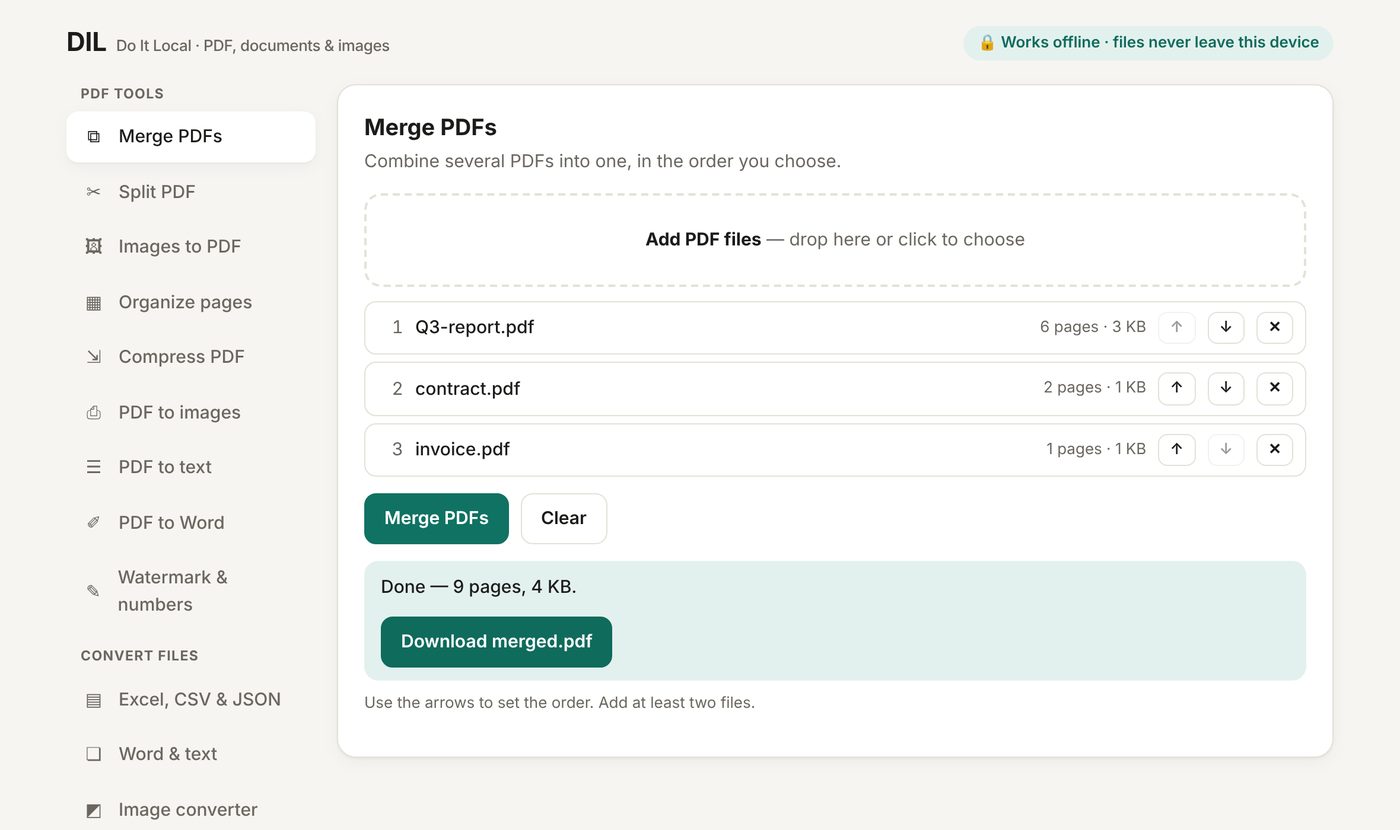
Merge & split PDFs
Combine files in any order, extract page ranges, or cut a PDF into parts.
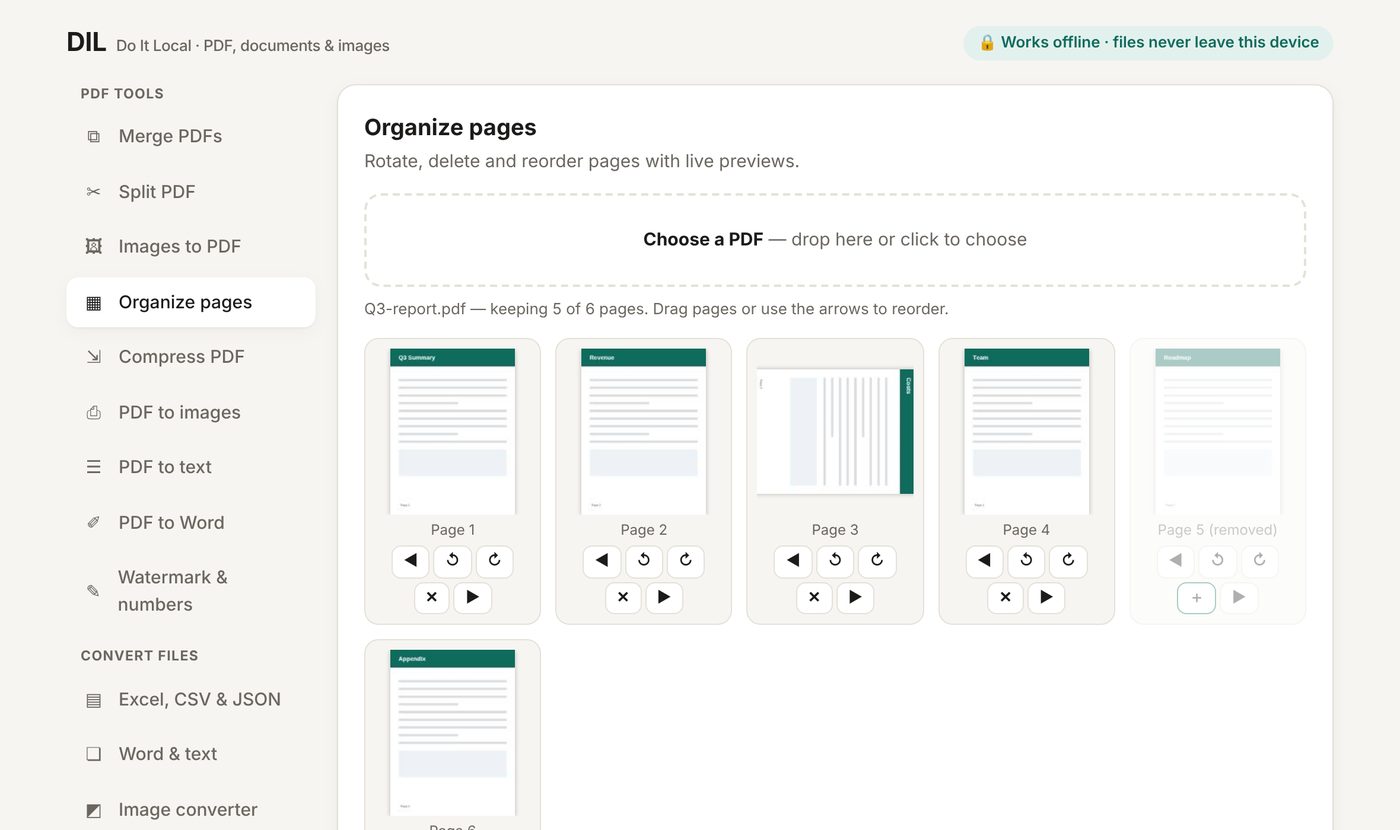
Organize pages
Rotate, delete and drag pages into a new order with live previews.
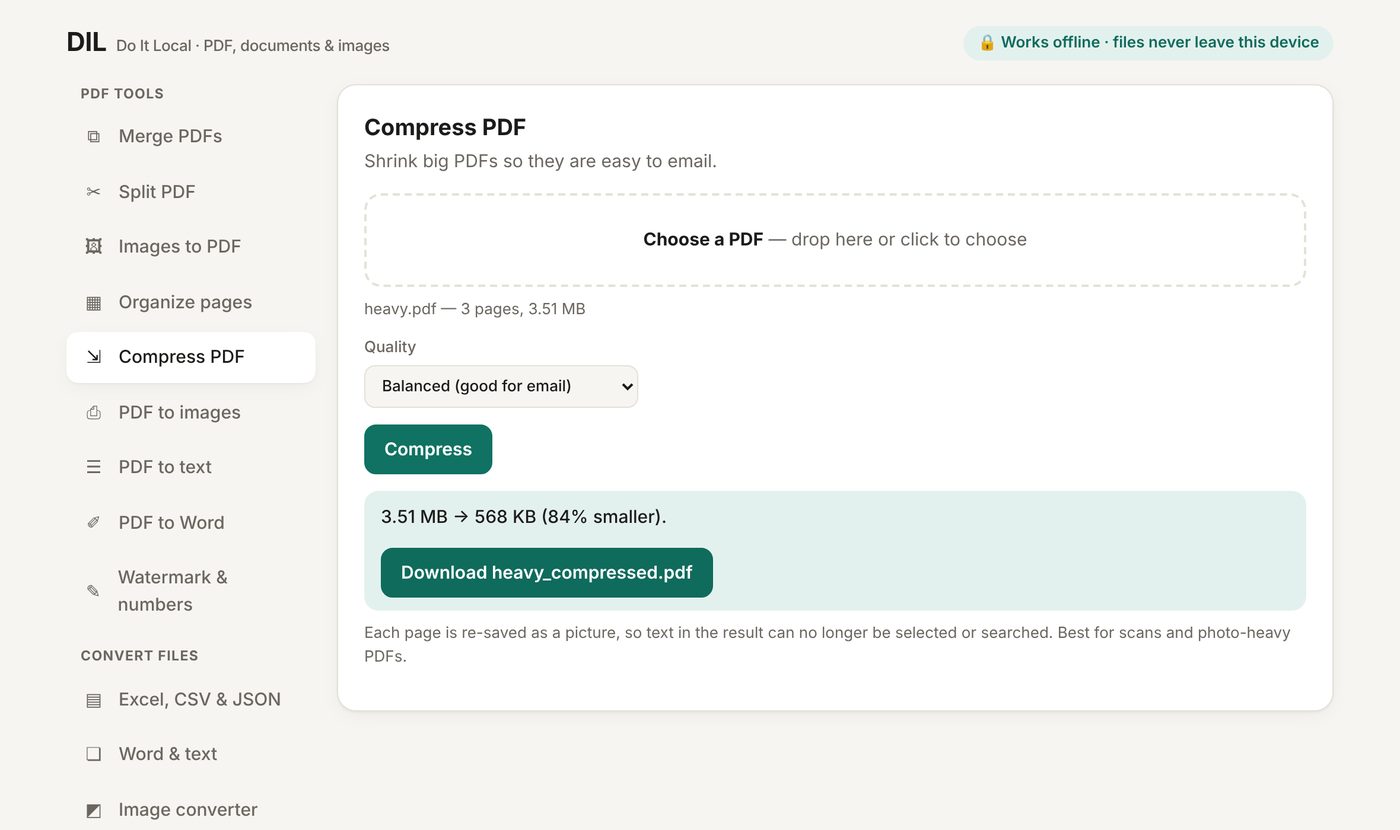
Compress PDF
Shrink big scans and photo-heavy PDFs so they fit in an email.
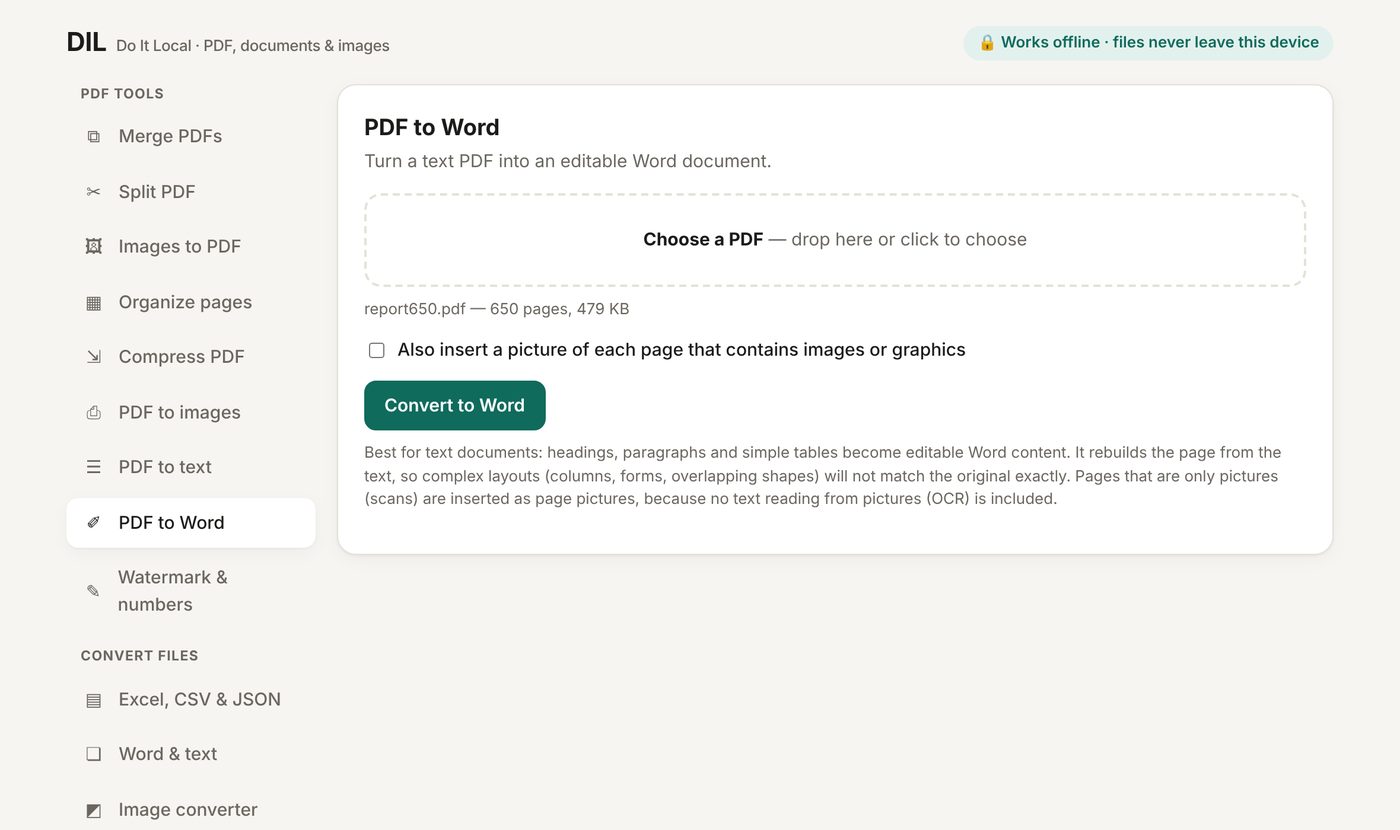
PDF to Word
Headings, paragraphs and simple tables become editable Word content.
PDF to text & images
Pull out the text, or save every page as PNG or JPG — hundreds of pages in minutes.
Images to PDF
Turn photos and scans into one PDF. Phone photos are straightened automatically.
Watermark & page numbers
Stamp text across pages and number them, even on rotated pages.
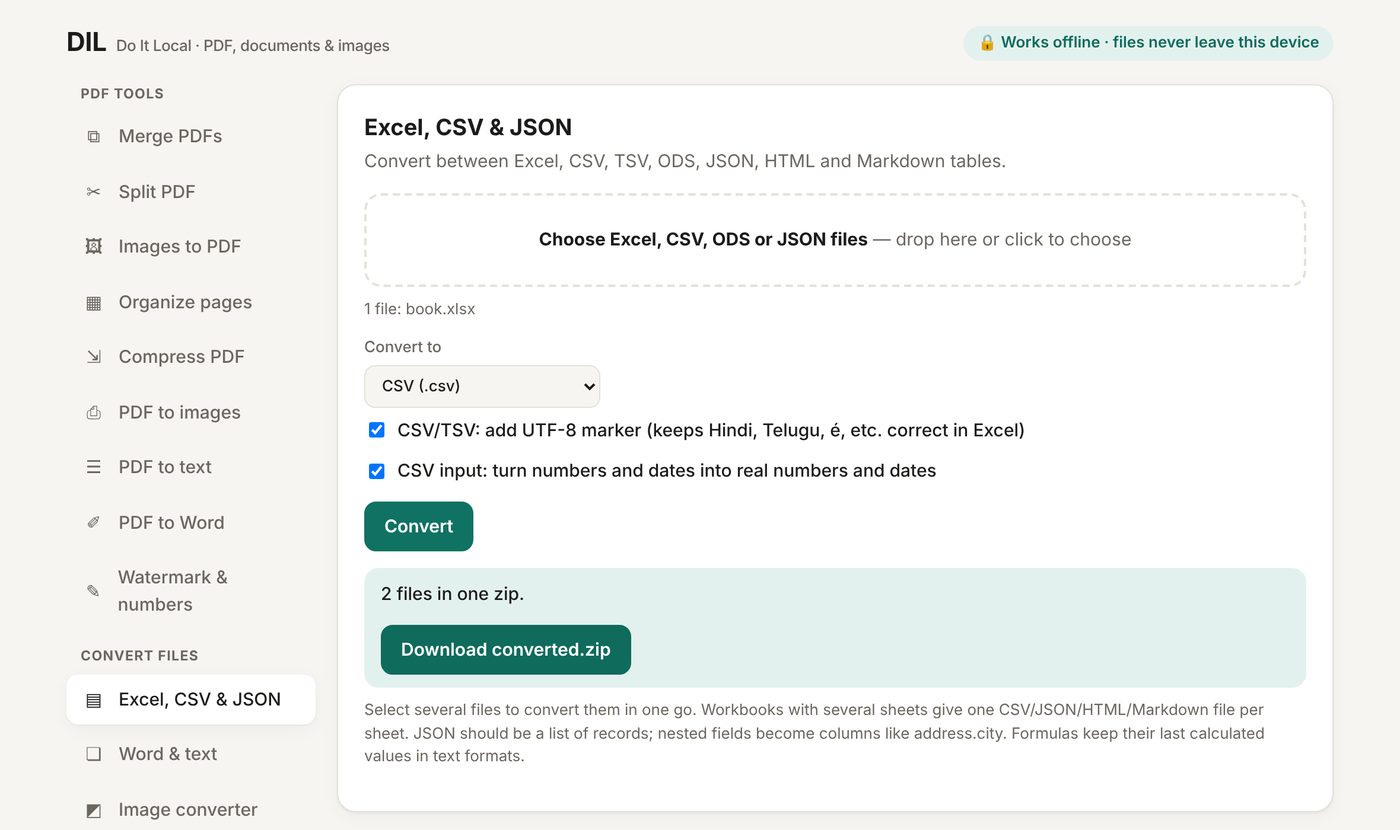
Excel, CSV & JSON
xlsx, xls, ods, csv, tsv, json, HTML and Markdown tables, many files at once.
Word & text
Word to text, HTML or Markdown. Text and Markdown to Word or PDF.
Image converter
Convert, resize and compress many images at once. Hidden GPS data is removed.
Don't take our word for it — check it in 30 seconds
- Open DIL, then turn your Wi-Fi off.
- Convert a file. It still works.
- Want proof in the code? The page is one readable file with a built-in rule that blocks every internet connection.
Why not just use a free website?
Free converter sites are fine for a school flyer. They are a poor fit for anything private.
| Online converter sites | DIL | |
|---|---|---|
| Where your file goes | Uploaded to someone else's server | Never leaves your device |
| Contracts, IDs, payslips, client files | Risky, and often against company rules | Safe to use |
| Limits | Daily caps, file-size caps, watermarks | None |
| Internet needed | Yes | No |
| Cost | Free with limits, or a monthly subscription | One-time price |
See it working
Real screens from the app.
DIL
- All 12 tools
- Use on all your own computers
- Works on Windows, Mac and Linux
- Includes the single-file app and a short guide
Not sure? Try the free Lite version first.
Questions
Do I need to install anything?
No. DIL is a single file. Double-click it and it opens in your web browser. It needs no internet connection and no account.
Is my data really private?
Yes. Everything happens inside your browser on your computer. The page contains a security rule that blocks all outgoing connections, so it cannot send anything anywhere.
How good is PDF to Word?
It rebuilds the document from its text, so headings, paragraphs and simple tables become editable. Complex layouts such as columns or forms will not match the original exactly. Scanned pages are inserted as pictures, because no text reading from pictures (OCR) is included.
Which browsers work?
Current Chrome, Edge, Safari and Firefox. WebP image output is not available in Safari.
What does Compress do to my PDF?
It re-saves each page as a picture at a quality you choose, which makes scans and photo-heavy files much smaller. Text in the result can no longer be selected, and DIL tells you when a file cannot be made smaller.
What do I get after I pay?
An instant download link and a receipt by email. The download is a zip with DIL.html, a short guide and the licence. Double-click DIL.html to start.
Can I use it for client or company work?
Yes. Personal and business use on your own devices is included. Reselling or sharing the file is not allowed (see the licence in the zip).
Does DIL collect any data about me?
No. It has no accounts, no tracking and no internet connection. Your files are processed in your browser and never uploaded.
Does it work on a phone or tablet?
DIL is designed for computers (Windows, Mac, Linux). Some tools may work in a phone browser but it has not been tested there.
Will there be updates?
Fixes and improvements may be released over time. Check the purchase page for new versions.
Can I get a refund?
Refunds follow the policy shown on the purchase page. If something does not work for you, email us first and we will try to fix it.
How do I contact you?
Email Doitlocal@proton.me. Please mention your browser and which tool you used.